Familiar Word workflow
Ribbon, heading styles, tables and paginated layouts. Keep familiar editing habits and turn ideas into clear documents.
 WordCraftONLINE
Free · Open source · Made for your words
From a blank page to a full idea.
Edit Word documents right in your browser,
no install, no signup, no payment.
Files are processed locally in your browser, under your control.
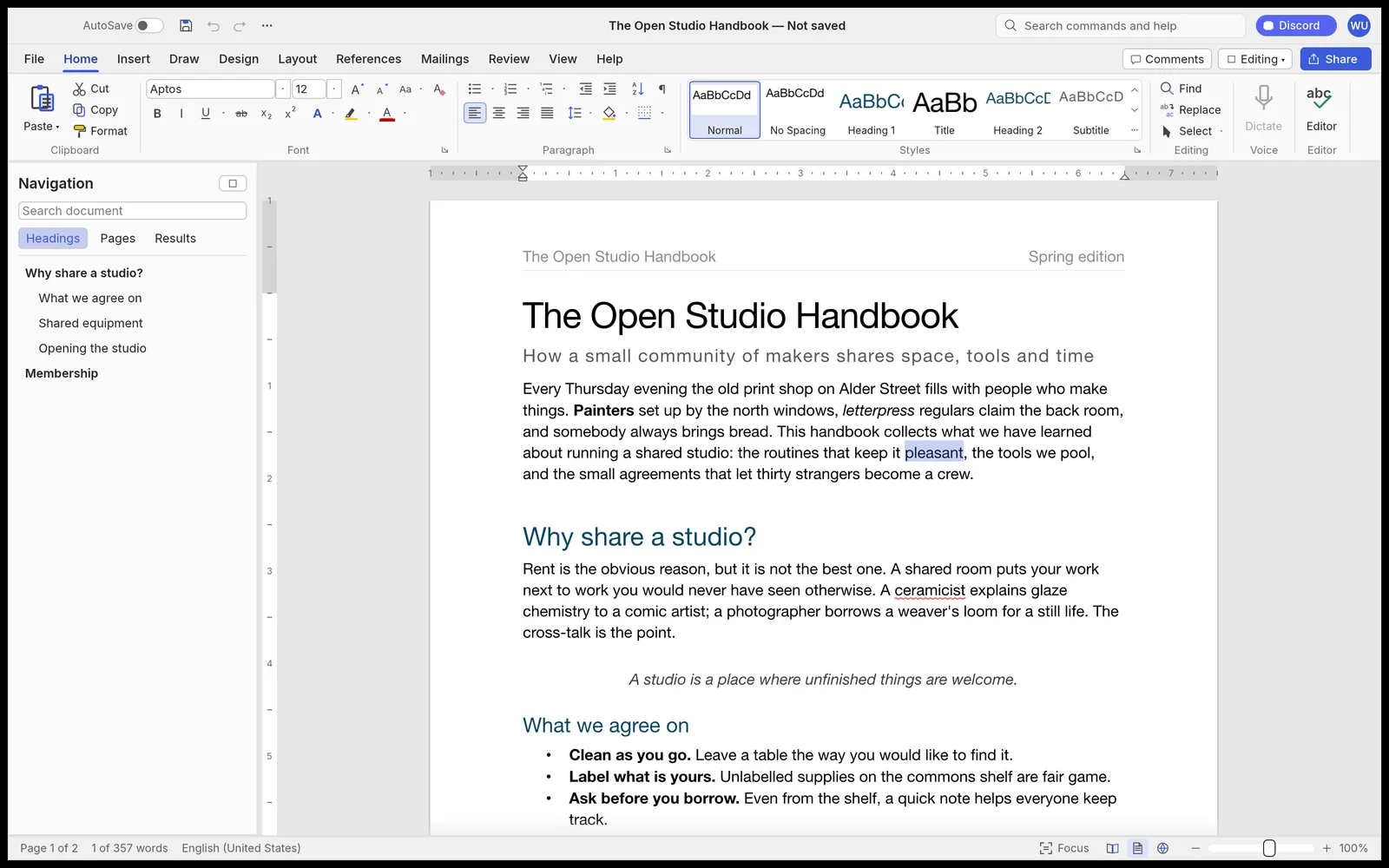
LESS FRICTION. MORE WRITING.
A real document editor, not just a text box.
Ribbon, heading styles, tables and paginated layouts. Keep familiar editing habits and turn ideas into clear documents.
Choose a DOCX from your device, edit and save locally. You can also export PDF to share your content the way you need.
No account or subscription required. Built on the open-source WordCraft project to make practical writing tools accessible.
Click “Start writing for free” and wait for the editor to load the first time.
Create a blank document or open a local DOCX from the File menu.
Use the File menu to save or export PDF. Remember to download backups promptly.
A FEW THINGS TO KNOW
This site offers free access to the WordCraft web editor with no account or installation required. WordCraft is open source and this site is independently hosted — it is not the ArtCraft official site.
If you want a free alternative to Word Online, WordCraft provides a familiar document workflow and DOCX support. This is not Microsoft Word Online or a Microsoft service and does not require a Microsoft account.
This site does not provide document upload or cloud storage. The official editor processes files you choose in your browser; saving and exporting are handled locally. Hosting may record standard access logs — see the privacy notice.
The web version does not provide cloud autosave. Please use the editor’s File menu to save or download, especially before closing, refreshing or switching compatibility mode.
WordCraft is in alpha. Complex DOCX layouts or some features may render differently; lossless round-trips aren’t guaranteed. Keep originals and check exported results for important documents.
Requires a modern browser with WebGPU or WebGL2 support. The official web package’s Chinese menus miss some glyphs, so this site defaults to English menus and adds document fonts for Chinese browsers. Use up-to-date desktop browsers. If you encounter graphics issues, try “Compatibility mode”. Mobile editing may be limited by screen size and performance.
THE PAGE IS YOURS